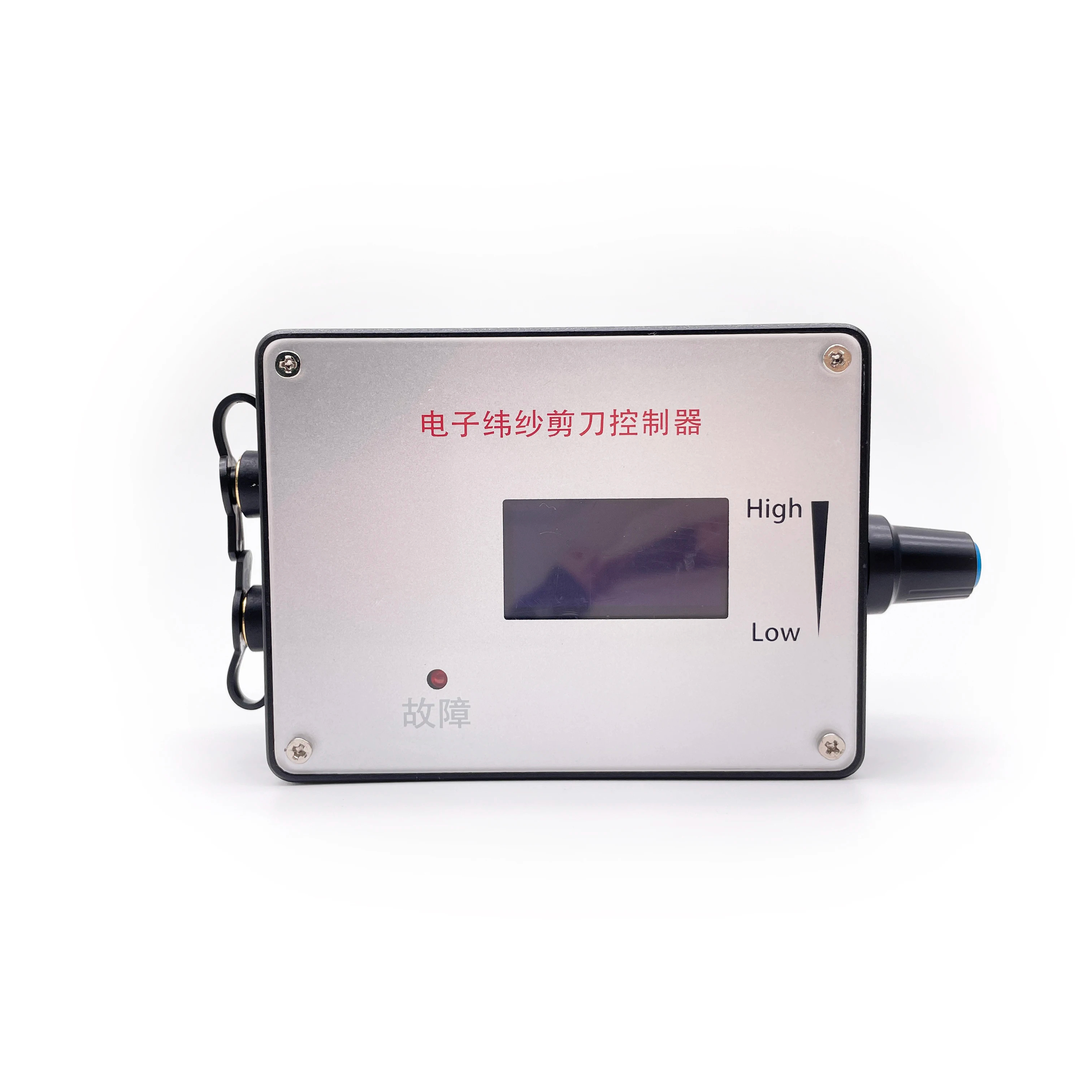
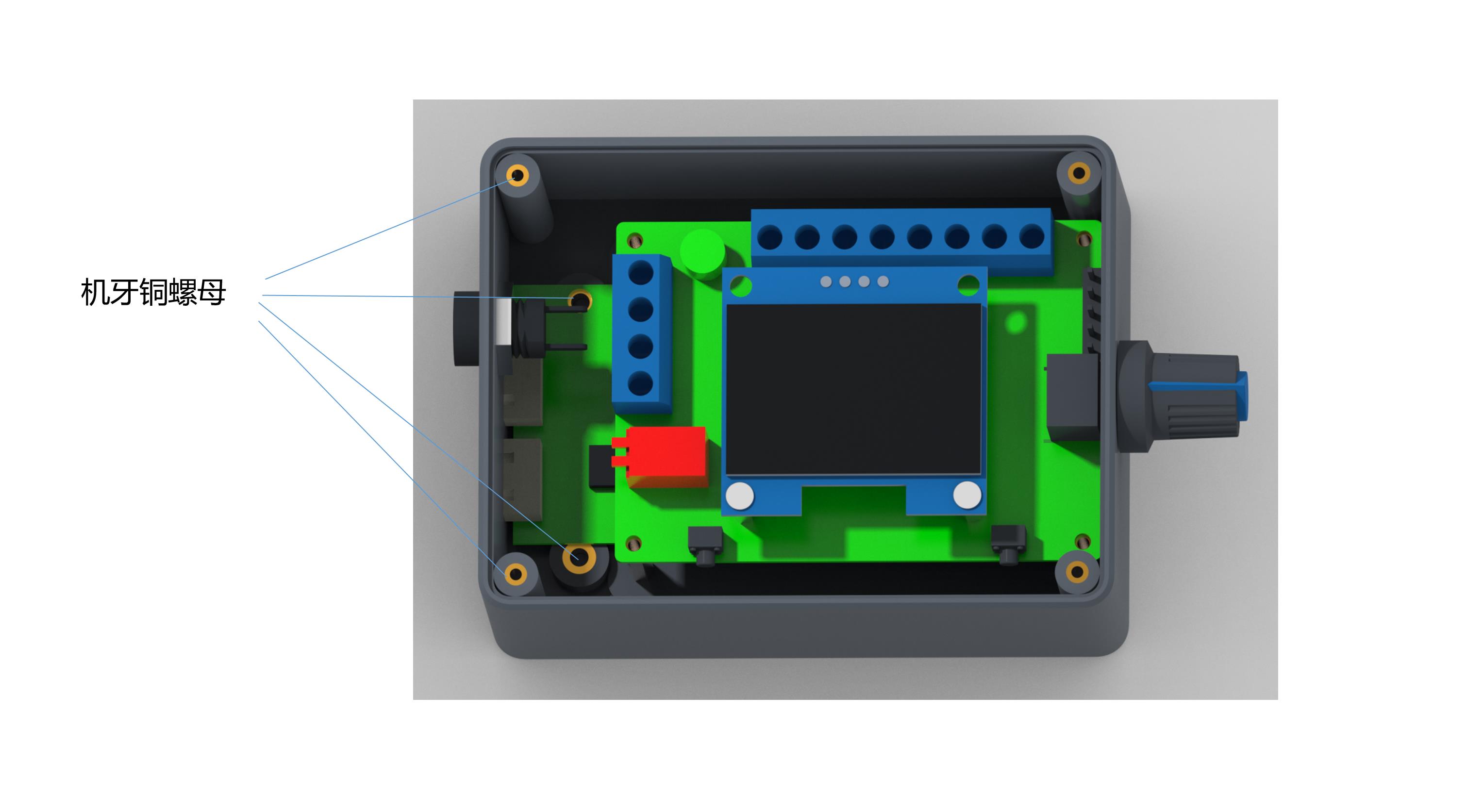
- Positive Input: Governor and motor power supply positive input.
- Negative Input: Governor and motor power input negative.
- Positive Output: The positive output of the motor power supply.
- Negative Output: Negative output of the motor power supply.
- Rotation Control: High/low level output (5V/0V), controlled by touch switch 2 (F/R). Default is high.
- Brake Control: High/low level output (5V/0V), controlled by touch switch 1 (BRA). Default is high on power up.
- Analog Output: 0~5V interface suitable for analog voltage speed regulation motors.
- PWM1 Reverse: Suitable for PWM speed regulation; speed is inversely proportional to duty cycle.
- PWM2 Forward: Suitable for PWM speed regulation; speed is proportional to duty cycle.
- Adjustment: Potentiometer adjusts the output signal changes of the three interfaces.
- Feedback Input: Motor feedback signal input.
Note on Jumper Caps: FG/FG*3 and CW/CCW settings should be based on actual motor requirements. Adding a jumper cap to FG increases feedback to 3x, while CCW with a cap sets the initial direction state.
1
Frequency Setting: Hold Switch 1 before power-on. Release when "FEQ:20K" appears. Use Switch 1 to reduce and Switch 2 to add. Default is 20KHz.
2
Poles Setting: Hold Switch 1 and 2 simultaneously before power-on. Release when pole count appears. Adjust according to motor design (Default: 1 pole).
3
Feedback Setting: Set via FG/FG*3 pin. No jumper = single FG; Jumper added = 3x FG.
4
Direction Setting: Set via CW/CCW pin based on motor's initial state when the control line is suspended.
Frequently Asked Questions (FAQ)
Q: What is the input voltage range for this governor?
A: The governor supports a wide DC voltage input range from 5V to 28V.
Q: Can I use this governor for a motor with a rated current higher than 2A?
A: Yes, but you must connect the motor power line directly to the power supply instead of through the governor to avoid damage.
Q: How do I change the PWM frequency?
A: Hold touch switch 1 before powering on until the screen shows "FEQ". Then use switches 1 and 2 to adjust the frequency up to 100KHz.
Q: What information does the display screen provide?
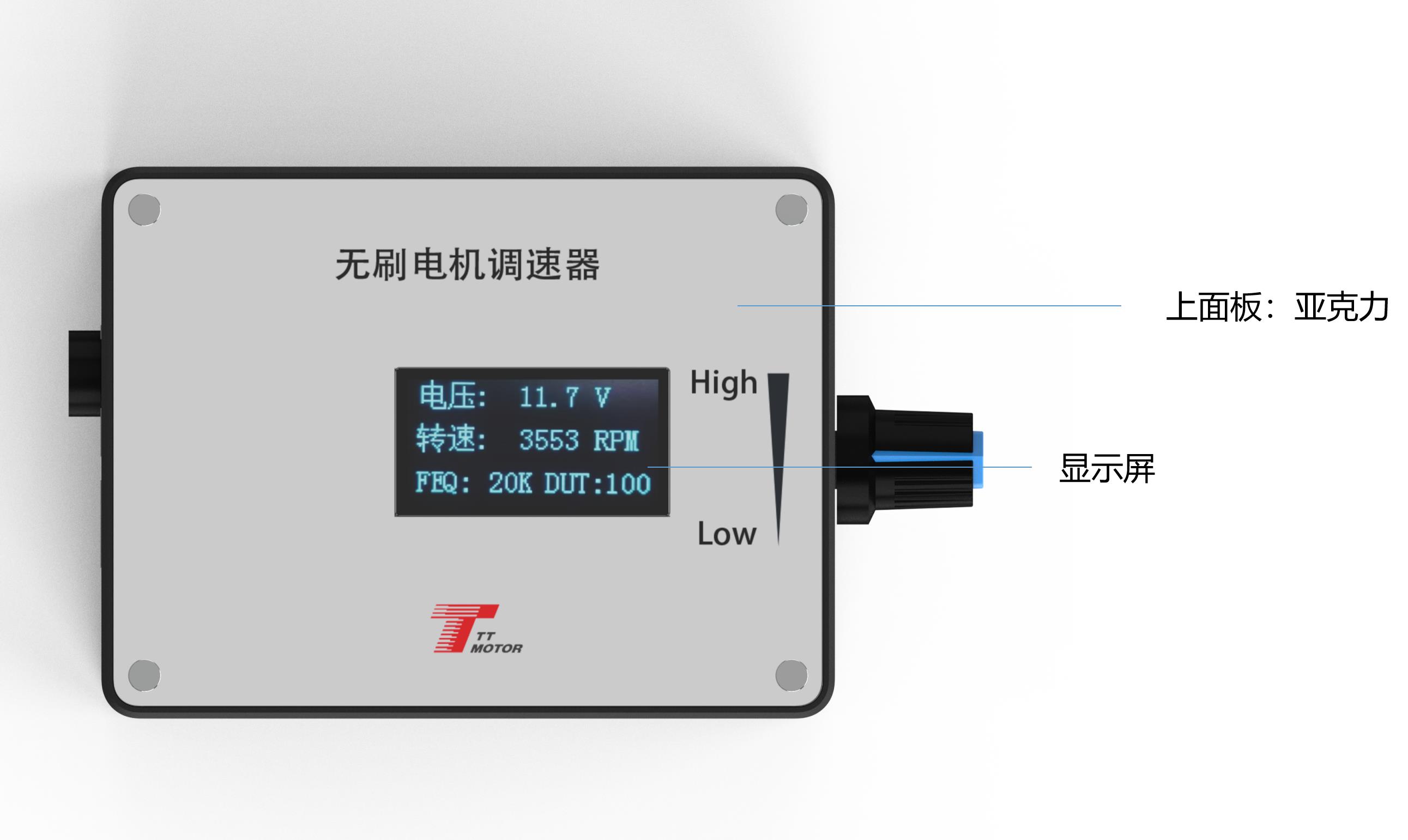
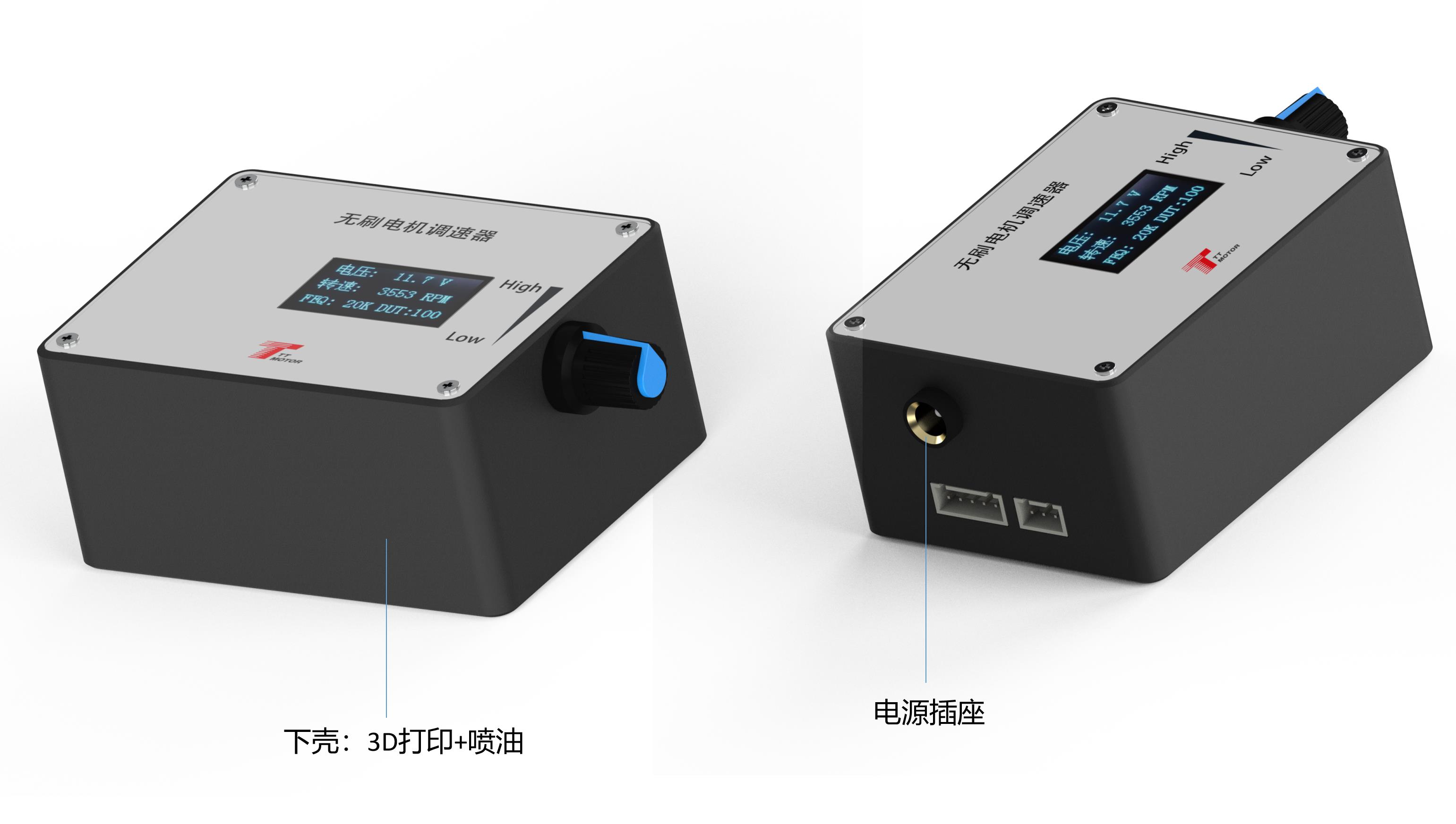
A: The main screen displays four key parameters: input voltage, speed, frequency, and duty cycle.
Q: What happens if I reverse the positive and negative power wires?
A: Reversing the power supply will burn the internal components of the governor, rendering it non-functional.
 Fluxon Motor